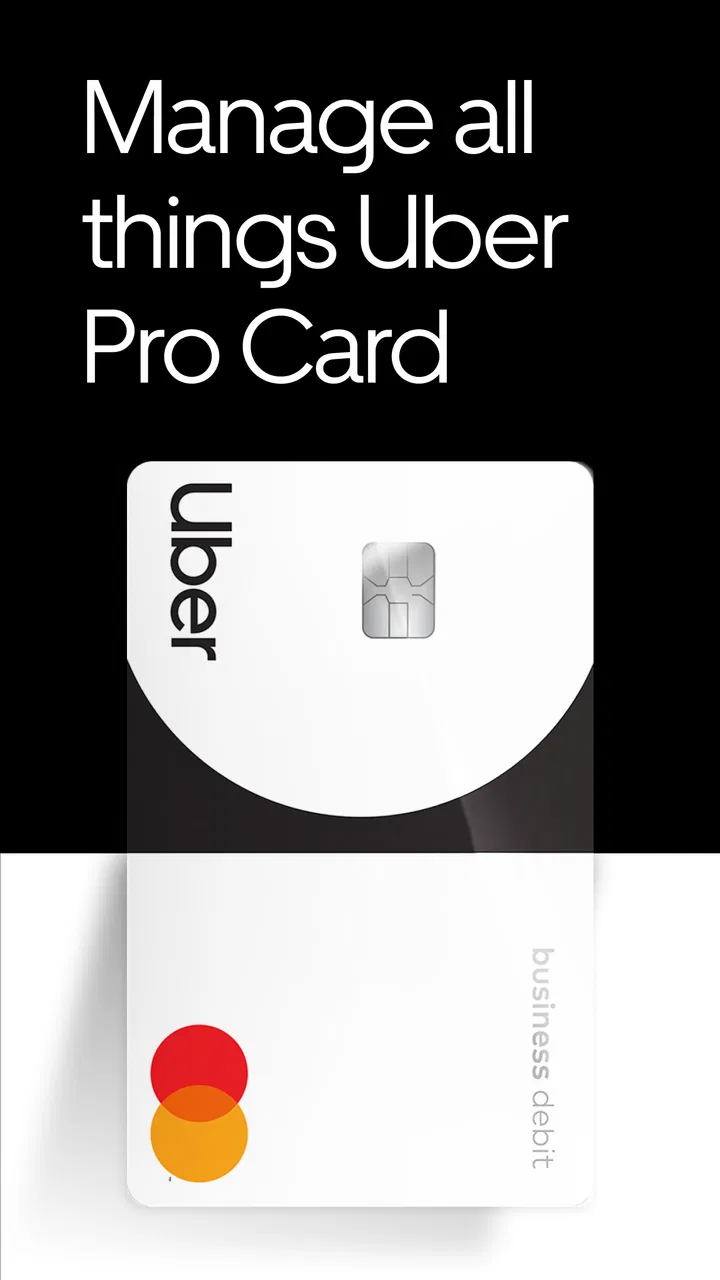
Uber Pro Card
- 4.9
- Rating
- 1.00M
- Installs
- Free
- Price

 Analysis by App-foxy
I approached Uber Pro Card as a finance app for people who earn through Uber and want their work income to be easier to follow and use. Its purpose is narrower than a general banking app, and that is important: the experience makes the most sense when your earnings are tied to driving or delivery work rather than a conventional salary. In my experience, that focus can make everyday money handling feel more direct, but it also means the app is not automatically the best fit for everyone.
The app is free, rated for Everyone, and developed by Branch Messenger. It has built a strong public reputation, with an average rating of 4.9 from roughly seventy-eight thousand ratings, while its reach has passed one million installs. Those figures suggest that many users find the service useful, but popularity should not replace checking whether its work-income focus matches your own situation.
How clearly the app works from the first screen
The clearest part of the experience is its central idea: this is a financial tool connected to Uber Pro Card, not a broad personal-finance dashboard trying to do everything at once. That narrower purpose helps me understand what I am looking at when I open it. Instead of beginning with complicated budgeting language, the app is best understood as a place to keep track of money connected with eligible Uber work and manage it in the same general routine as other financial tasks.
You May Also Like

 Blood Strike: 2.5 Anniversary
Blood Strike’s Loadouts Turn Every Drop Into a Tactical Gamble
A close look at Blood Strike’s custom loadouts: how fast access to signature weapons reshapes its battle royale rhythm, rewards preparation, and narrows the gap between fights.

 Pandora - Music & Podcasts
Pandora’s Music Is Easy to Start, but Harder to Recover
Pandora’s strength is its low-effort path from a seed to a station. Its weak spot is how much confidence it asks you to place in connection, setup, and quiet recovery.

 8 Ball Pool
 Is Built on Rivalries, Rematches, and Routine
A close look at the rivalries, rematches, shared routines, and unanswered safety questions that turn a quick pool match into a persistent mobile community.

 Samsung Music
’s Quiet Strength Is Playing What You Already Own
Its reach comes less from spectacle than from dependable access to a personal library. That simplicity is both the app’s strongest retention engine and its ceiling.

 AccuWeather: Weather Radar
AccuWeather Review: A Quick, Clear Forecast for Everyday Decisions
For everyday plans, the best forecast is the one you can understand quickly. AccuWeather makes rain timing, radar, and local conditions easy to act on, with a few trade-offs.

 Hill Climb Racing
Why Hill Climb Racing Still Turns Crashes Into One More Run
A tiny car, a bumpy hill and one more upgrade: Hill Climb Racing keeps resurfacing because its simple chaos makes every near-miss feel personal.
More From Our News Desk



That focus can help people who do not want to sort through a large collection of banking features. A driver checking money between trips usually needs quick orientation rather than a long financial lesson. The useful question is often simple: what money is available, what has recently arrived, and what action should I take next? A focused interface has a better chance of supporting that kind of short visit than a traditional bank app filled with unrelated products.
I also think the wording matters for people who are less comfortable with financial technology. The app’s identity is easy to recognize, and the connection to earning through Uber is not hidden behind an abstract brand name. Still, a clear purpose does not guarantee that every screen will feel equally simple. Financial apps can become harder to understand when they move from a balance or earnings view into account management, verification, or support. A first-time user should take a few minutes to read each label rather than tapping quickly through a setup process.
For readability, the most practical approach is to use the app in short, deliberate sessions. I would open it after a shift, identify the current money view, and avoid making several changes at once. That habit reduces the chance of confusing an earnings update with a spending decision. It is also useful for anyone who finds dense screens tiring, including users with limited attention, reading fatigue, or a preference for predictable routines.
The current version is 2026.5.3 and requires Android 10 or later. That requirement is reasonable for people using a relatively recent Android phone, but it creates a clear access boundary for anyone keeping an older device. Before planning to rely on the app, I would check the phone’s operating-system version and make sure the device remains usable for financial tasks generally. A finance app is not much help if the phone is already slow, unsupported, or difficult to keep updated.
A practical routine after a workday
Consider a driver who finishes an evening shift and wants to separate work money from household spending. I would use the app as the first stop: review the latest available amount, check whether the expected earnings are visible, and then decide what can safely be used for fuel, food, or bills. The important discipline is not to treat a displayed amount as a complete monthly budget. Work income can vary, so the app is more useful as a timely money checkpoint than as a substitute for a full budgeting method.
That distinction is one of the less obvious trade-offs. The app can reduce the mental distance between earning and accessing money, which is convenient when cash flow is irregular. At the same time, convenience can encourage frequent spending if I check the balance and immediately treat it as disposable. I would pair it with a simple note, spreadsheet, or separate budgeting tool if I needed to plan taxes, vehicle costs, savings, or household commitments over a longer period.
Navigation for different reading and attention needs
People who prefer a small number of clear steps may appreciate the app’s job-specific focus. Someone who struggles with financial jargon may also find it easier to begin with an earnings-related product than with a full-service bank account. I would still avoid assuming that every user will experience the screens in the same way. Text size, contrast, screen-reader behavior, and touch targets depend on the phone, operating-system settings, and the app’s current implementation.
That is why I recommend testing the app during a calm moment rather than during a busy shift. Turn on the phone’s preferred text-size or display settings, move through the main screens, and see whether important amounts and actions remain understandable. If enlarged text causes labels to wrap awkwardly or important controls to become difficult to find, that is a practical barrier, not a minor cosmetic issue. Money decisions require confidence in what a control means before it is selected.
Users who rely on spoken feedback should also perform a complete trial rather than assuming that a familiar Android accessibility setting will make every financial screen equally easy. Listen to the main balance and action labels, then check whether confirmation messages are understandable. I cannot treat the app as universally accessible simply because it runs on Android. The sensible test is personal: can you identify the amount, understand the next action, and confirm the result without needing someone else to interpret the screen?
Motor, sensory, and real-world access
Motor access is especially relevant for people who use the app while moving between jobs. A driver may be wearing gloves, holding a phone awkwardly, or trying to use the device with one hand. My strongest recommendation is not to manage financial details while driving. Finish the trip, park safely, and then use the app with both attention and a stable grip. A quick financial check is never worth creating a road-safety risk.
For users with tremors, limited reach, or reduced precision, the key question is whether the app’s controls can be selected reliably on their particular device. I would avoid repeated tapping on sensitive actions and use the phone’s built-in interaction aids where they help. If a task requires several precise selections, completing it at home with a larger screen or more time may be much less frustrating than attempting it during a shift.
Visual access varies just as much. Bright outdoor conditions can make any financial screen harder to read, while a dark room can make glare and contrast uncomfortable. A driver who checks earnings in a car should position the phone so reflections do not obscure the amount or the confirmation step. I would never rely on color alone to interpret a change in money status; if an important message is unclear, read the surrounding text and confirm the action before continuing.
For people with hearing loss, visual confirmation becomes particularly important. Financial activity should not depend on noticing a sound or vibration. I would look for an on-screen result after each meaningful action and keep any available confirmation information until I am sure the change completed. For users with sensory sensitivities, limiting unnecessary phone notifications and choosing a quieter time to review finances can make the whole process more manageable, even though those adjustments are controlled partly by the device rather than the app.
When connectivity, fatigue, or pressure changes the experience
Situational access is where this product can be both helpful and demanding. Gig work often happens across changing locations, variable signal strength, and irregular schedules. A user may be tired after a long day, distracted by traffic, or trying to solve a money problem quickly. In that context, a focused finance app can be easier than a general bank app, but any delay, unclear status, or extra verification step feels more serious because the user may be depending on the money immediately.
I would build a backup routine before relying on it. Keep another way to contact support or access essential funds, and do not wait until the end of a shift to discover that a phone, account, or connection problem prevents you from completing an important task. This is not a criticism unique to Branch Messenger; it is a sensible rule for any app involved in day-to-day income. The more central the app becomes to your work, the more important it is to avoid having only one route to your money information.
The app is also less suitable for shared-device situations. If several people use the same phone, privacy and accidental access become practical concerns. I would use the phone’s own lock and account protections and avoid leaving financial screens open in public. Someone who frequently borrows a phone, uses a work device, or has limited control over their device environment may find a conventional bank arrangement easier to manage.
Where the product still creates friction
The biggest limitation is its specialization. If you earn from several platforms, receive wages from an employer, or need detailed household budgeting, one Uber-focused financial app will not provide the whole picture. A normal bank app may be better for seeing multiple income sources together, while a dedicated budgeting tool may be stronger for categories, forecasts, and long-term planning. I would use Uber Pro Card for the work-income workflow only if that workflow genuinely saves me time.
Another trade-off is the difference between fast access and financial structure. Getting closer to earnings can be valuable when bills arrive before a regular payday, but it can also blur the line between money earned, money available, and money already committed. I would keep a separate record of fuel, maintenance, taxes, and savings goals. The app can support the cash-flow side of gig work; it should not be mistaken for a full financial plan.
Support expectations also deserve attention. A finance app needs clear answers when a transaction, balance, or account action does not behave as expected. Before moving all work income into one place, I would explore the available help path and make sure I understand how to report a problem. Users who need in-person assistance, a branch visit, or a familiar local-bank relationship may be happier with a traditional provider, even if that provider feels less tailored to Uber work.
Device compatibility is another straightforward barrier. The Android requirement excludes older phones, and users on other platforms should confirm that the version they intend to use fits their device before changing their financial routine. People with limited storage, weak batteries, or unreliable mobile service should be especially cautious about making the app their only way to monitor work money.
Who I would recommend it to
I would recommend it most strongly to an Uber driver or delivery worker who wants a dedicated place for work-related money, prefers a focused experience, and is comfortable managing broader budgeting separately. It is also a reasonable option for someone who checks earnings frequently and values a workflow built around irregular gig income rather than a standard monthly paycheck.
I would be more cautious for a person who needs joint household management, several income sources, extensive spending analysis, or face-to-face financial support. I would also hesitate if the user has an older Android phone, difficulty reading small financial text, or a situation where phone access is shared or unreliable. Those are not reasons to dismiss the app; they are signals that another financial setup may provide better day-to-day security and independence.
The app’s public reception is encouraging, and its free price lowers the barrier to trying it. Its Everyone age rating also makes the product broadly approachable, although an age label does not answer practical questions about a particular person’s financial needs or ability to manage an account independently. I would begin with a limited, careful trial rather than immediately reorganizing every payment and budget around it.
My final view is positive but specific. Uber Pro Card works best as a focused income-management companion for Uber work, not as a universal replacement for banking and budgeting. Its clearest strength is that it meets gig workers close to the moment they earn, while its main weakness is the risk of expecting one specialized tool to cover every financial situation.
From an inclusion perspective, I like the straightforward purpose and the possibility of shorter, less intimidating money checks. I also think the app can fit people who need flexible routines, provided they test text size, touch accuracy, visual clarity, and confirmation steps on their own device. The right question is not whether it carries a general accessibility promise; it is whether you can independently understand and complete the tasks you need.
After using it, I would keep the workflow simple: check earnings in a safe place, confirm important changes visually, maintain a separate record for irregular costs, and keep a backup plan for access or support. With those habits, the app can make work income easier to handle without pretending to solve every financial problem. For an Uber-centered earning routine, that is a useful and credible role.
FAQs for Uber Pro Card
01What is the Uber Pro Card, and how does it work?
The Uber Pro Card is a financial service designed for Uber drivers, offering them a debit card and banking features. It allows drivers to receive earnings directly, access funds instantly, and benefit from rewards like cash back on gas purchases. The card is linked to an app that helps manage finances and track spending efficiently.
02Are there any fees associated with using the Uber Pro Card?
The Uber Pro Card is designed to minimize fees for users, but some charges may apply, such as out-of-network ATM fees or foreign transaction fees. It's important to review the card's terms and conditions thoroughly to understand any potential fees and how to avoid them, ensuring the service remains cost-effective.
03How do I apply for the Uber Pro Card, and what are the eligibility requirements?
To apply for the Uber Pro Card, drivers must be active on the Uber platform and meet specific requirements, such as maintaining a good standing with Uber and meeting ride completion criteria. The application can be completed through the Uber Driver app, where you’ll provide the necessary personal and financial information.
04What rewards and benefits does the Uber Pro Card offer?
The Uber Pro Card offers various rewards, including cash back on gas purchases, discounts on vehicle maintenance, and free financial management tools. These benefits are designed to help drivers maximize their earnings and manage expenses more effectively, providing a comprehensive package to enhance their driving experience.
05Is the Uber Pro Card safe and secure to use?
Yes, the Uber Pro Card is secure, featuring advanced security measures like fraud monitoring and alerts. The associated app allows users to lock and unlock the card instantly, ensuring control over transactions. Additionally, the card is backed by an FDIC-insured bank, providing an extra layer of financial protection.
Pros
- Instant access to earnings.
- No monthly fees for card usage.
- Cashback on gas purchases.
- Access to budgeting tools.
- Fee-free withdrawals at ATMs.
Cons
- Limited ATM network availability.
- Requires Uber driver status.
- Not available in all regions.
- Some features need app integration.
- Cashback limited to certain stations.

Uber Pro Card
Gallery